The RoboDome
Flysky FS2A-4CH Receiver
Flysky FS2A-4CH Receiver
Couldn't load pickup availability
The Best Receiver for Your Next Bot!
At just a couple of grams, this receiver is perfect for small R/C bots! It will fit just about anywhere and has proven reliable in combat for years. This will work with Flysky FS-i6, TGY-i6, and most other modern FlySky radios. It also binds with all 4-in-1 modules (like the Zorro and many other Radiomaster models), just choose FlySky AFHDS-2A as the protocol. Not compatible with CC2500.
We sell the rectangle chip version of the FS2A-4CH receiver, which utilizes a physical button-press for failsafe position.
CAD Model Here (GRABCAD, with or without pins)
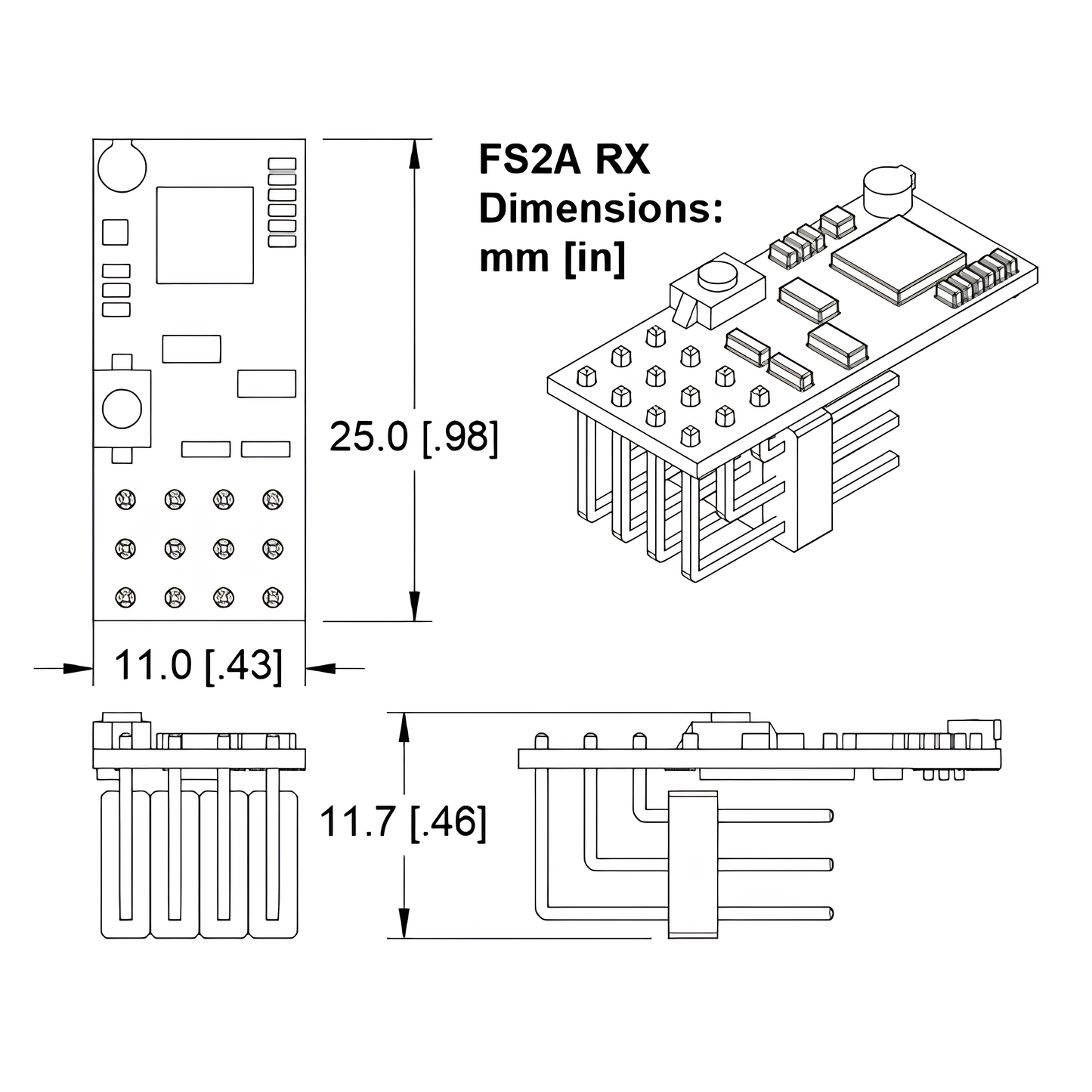
Weight: 2 grams with pins and antenna, 2.6 grams with heat shrink as well, just 0.9 grams for just the receiver.
Voltage: One of the major benefits of this receiver is its wide voltage range of 3.3-10V. These work well with a 9V supply, or directly off a 2S LiPo, but a typical 5V BEC works great as well. These will not work reliably off a 12V supply or 3S LiPo.
Current: This receiver draws very little power, <20mA under normal operation.
Includes 1 receiver, 1 set of 3x4 bent pins, 1 antenna (usually optional for the range needed for combat) and a piece of heat shrink tubing. Pins can be positioned multiple ways or left off entirely!
Binding and Failsafe
To bind, simply power off the receiver, hold the black button on the receiver (we recommend with a non-conductive item like the plastic rear of a screwdriver), and power on the receiver while holding the button. This will cause the blue LED onboard to flash, indicating bind mode. Follow the instructions with your transmitter to bind to this receiver and you’ll be controlling your robot in no time!
To set failsafe behavior, once a transmitter is bound, just hold the button again for a few seconds while sending the signals you want to happen when the radio loses connection. For example, for robots with spinning weapons, press the button while the weapon is not spinning and the drive motors are not moving.
Share